Agent lifecycle
A durable agent can live for months: longer than any server process, and across many deployments of new code. This page describes what happens to an agent over that time and the commands you use to manage it.
 Open full-size image in a new tab.
 Open full-size image in a new tab.
Created on first call
An agent comes into existence the first time something calls it. Deploying an application does not create agents.
Active and suspended
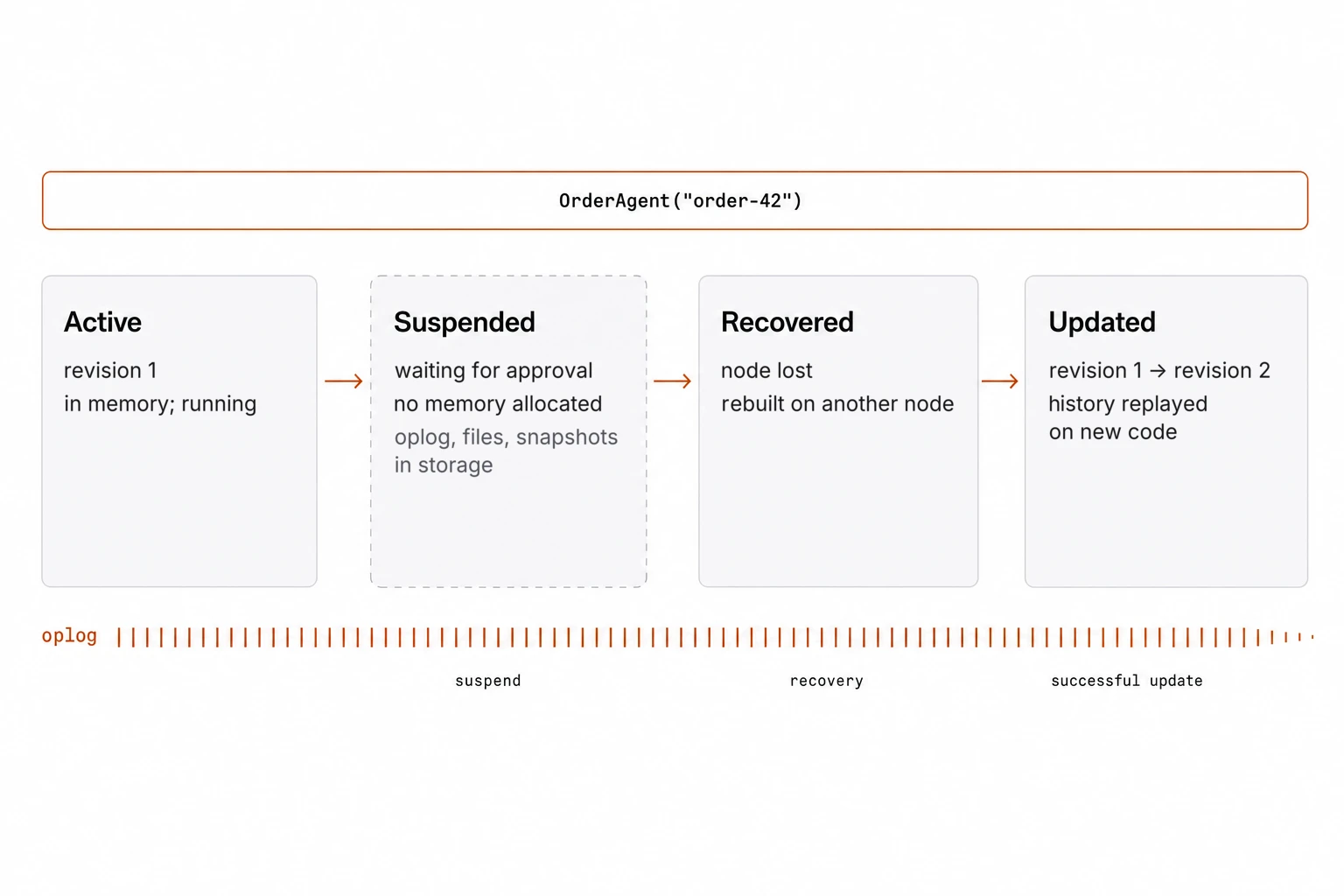
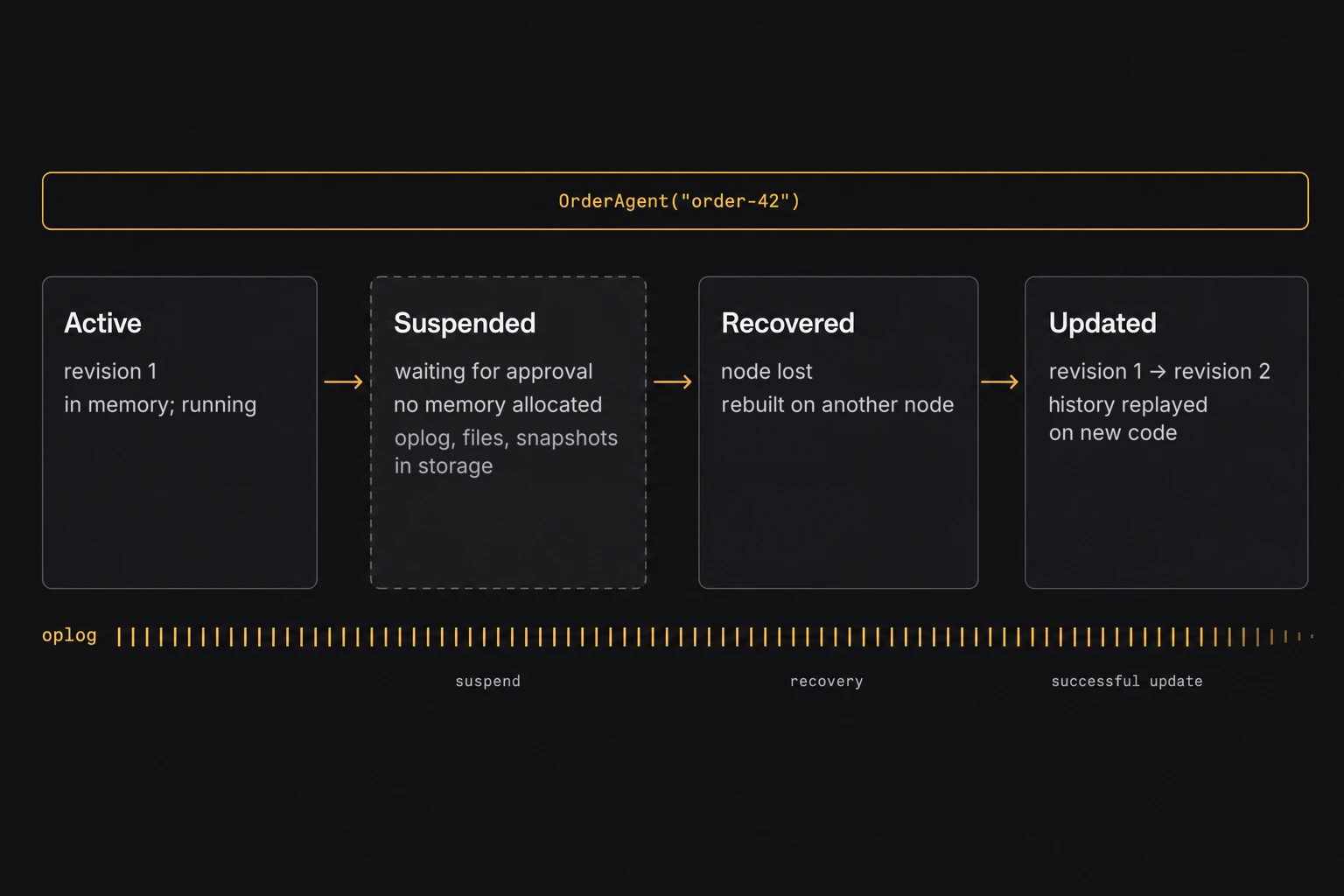
While an agent processes calls, it is loaded in memory. Calls that arrive while it is busy wait in its queue. When it is idle or only waiting, for a timer, a promise, or a slow call to another agent, Golem suspends it after a short time: the agent is unloaded from memory, and only its oplog, files, and optional snapshots remain in storage. The next call or completed wait loads it again, transparently.
A suspended agent uses no compute and no memory, but its stored state still takes space. golem agent delete removes an agent with its oplog and files.
Recovered after failures
If the server running an agent fails, Golem rebuilds the agent on another server from its oplog, as described in Durable execution. Its identity and history do not change.
Updated to new code
golem deploy uploads new code but leaves existing agents on the version they started with. You move agents to new code explicitly, during a deployment or one agent at a time:
golem deploy --yes --update-agents auto
golem agent update 'OrderAgent("order-42")' auto --await| Update mode | How it works | Use it when |
|---|---|---|
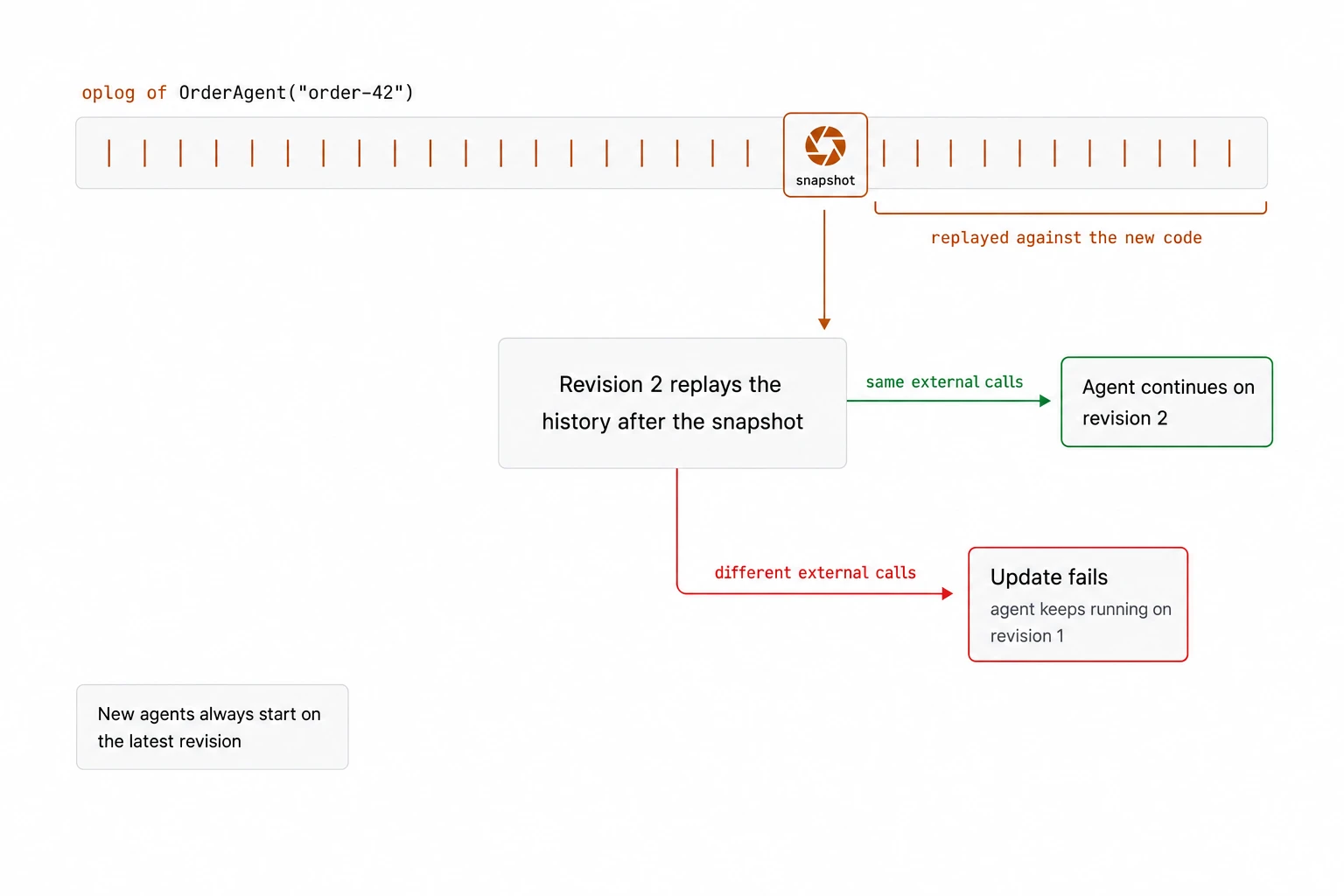
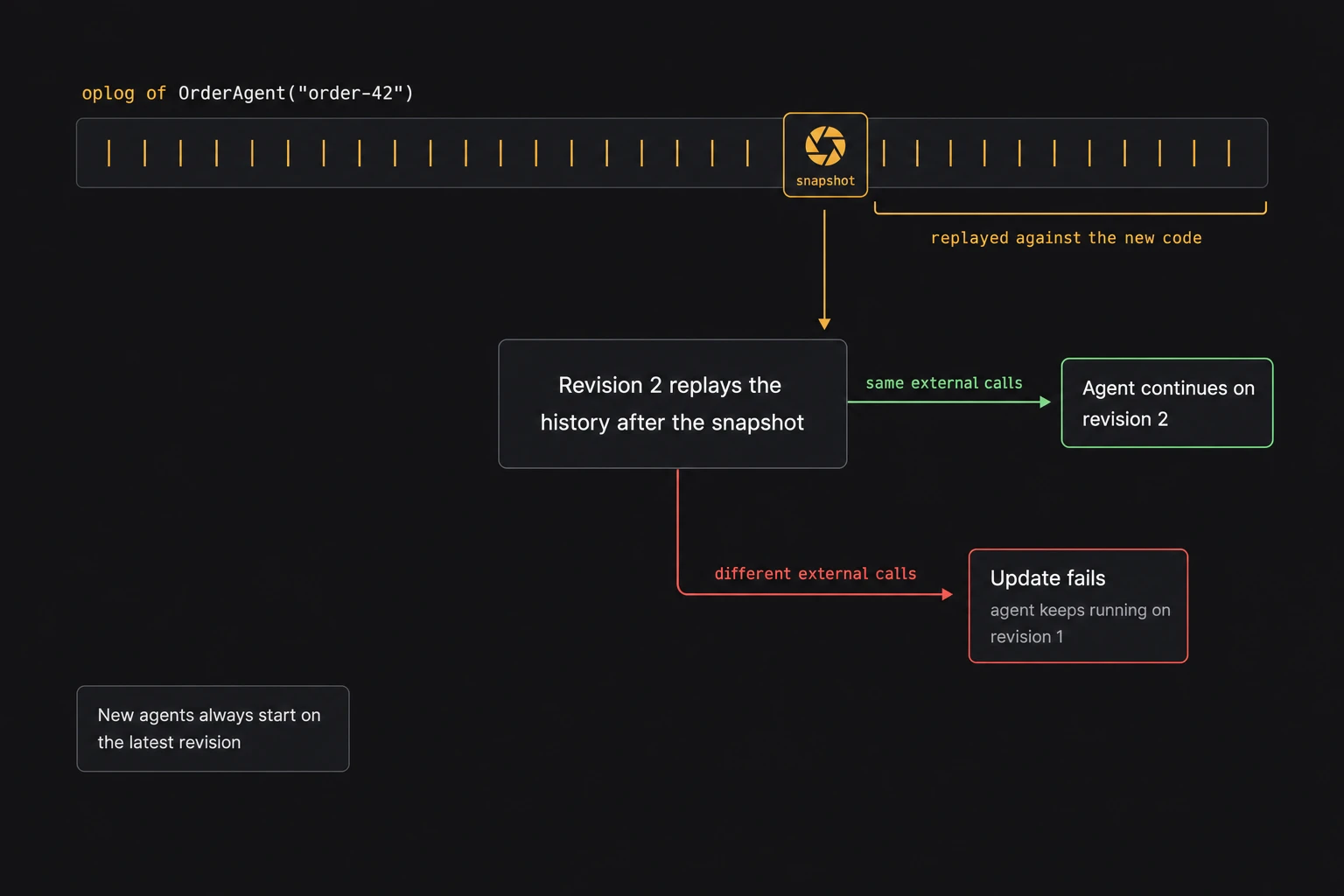
| Automatic | Golem replays the agent’s history, or the part after its latest snapshot, against the new code. Replay checks that the new code makes the same sequence of external calls, such as HTTP requests and calls to other agents, as the recorded history. If it does not, the update fails and the agent stays on the old version. | The new code would have made the same calls as the old code so far, for example a new method or a change to code the agent has not run yet. |
| Manual | The old version saves the agent’s state as a snapshot, and the new version loads it. You write both functions. | The change alters the agent’s state layout or logic. |
 Open full-size image in a new tab.
 Open full-size image in a new tab.
Replay checks the structural identity of durable host calls, including the host function and its invocation context. For outgoing HTTP, it does not compare the method, URL, headers, or body of a new request with the recorded request. Changing a prompt or a URL therefore does not by itself make an update fail: completed calls still return their recorded responses. A structural mismatch in the calls made during replay can fail the update. Successful replay is not proof that the new code would have made the same HTTP requests.
A failed update does not break the agent: it keeps running on its old version, and new agents start on the new version. For agents that live a long time while their code changes often, enable snapshots on the agent type. An automatic update then only replays the history after the latest snapshot, so only recent activity has to match the new code. In TypeScript, a snapshot can be generated automatically from a schema of the agent’s state; you can also write your own save and load functions. For changes to the shape of an agent’s state, use a manual update.
Inspecting and controlling agents
| Command | What it does |
|---|---|
golem agent get | Shows an agent’s status, pending calls, and update history |
golem agent stream | Follows an agent’s output and logs |
golem agent oplog | Prints the agent’s oplog; --query searches it |
golem agent interrupt / resume | Stops a running agent and continues it later |
golem agent simulate-crash | Makes an agent recover exactly as it would after a real failure |
golem agent revert | Removes recent history and returns the agent’s state to an earlier point. External effects, such as a payment, are not undone. |
An agent can also fork: split into a second agent that continues from the same point, for example to explore an alternative or divide work.
The oplog doubles as an audit trail with nothing to configure: every call, tool call, permission event, update, and error, in order. The built-in OpenTelemetry exporter plugin sends traces, logs, and metrics to your observability stack.
Budgets and quotas
Golem enforces limits that you define, such as model tokens per hour, API calls, or concurrent connections, as named resources per environment. When a limit is reached, Golem rejects the request, pauses the agent until capacity returns, or stops the agent, depending on the policy you choose. An agent loop can reserve an estimated cost before a model call and commit the actual usage afterwards, so a runaway loop stops at its budget.
Scaling
Each agent processes one call at a time, so an application scales by having more agents. Golem distributes agents across servers in shards and routes every call to the server that owns the agent. When servers join or leave, agents move and are rebuilt from their oplogs, and Golem guarantees that only one server at a time runs a given agent. See Architecture.
Next
How Golem compares: Golem next to durable execution engines, actor platforms, agent frameworks, and sandboxes.
Related guides: